
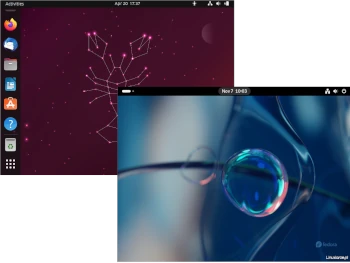
In today’s article from the series Distro vs. Distro, I decided to compare two distributions well-known to Linux users: Ubuntu and Fedora.
Ubuntu is the most widely used version of Linux on desktop computers. Ubuntu is comprised of open source code from a broad community. Canonical, a UK-based company, sponsors and manages the project’s development. Ubuntu is a derivative of Debian, first released in 2004. Ubuntu uses parts of Debian’s architecture and infrastructure, but takes a different approach.
Fedora Linux is the foundation of Red Hat Enterprise Linux, a version of Linux commonly found in large commercial deployments, not on everyday laptops. Fedora’s development is led by Red Hat, an IBM subsidiary. Fedora is not based on another version of Linux. It is the foundation upon which other projects, such as Red Hat Enterprise Linux and CentOS, are based.
1: Hardware Requirements
Ubuntu Desktop: Recommended hardware requirements are 2 GB of RAM, 25 GB of disk space, and a 2 GHz dual-core processor for Ubuntu 22.04 LTS.
Fedora: 1 GHz or faster processor, 1 GB of RAM, 10 GB of disk space. Since Fedora Workstation’s default desktop is GNOME, I recommend more processing power and RAM.
2: Installation and Configuration
Ubuntu: Due to its simple installation and usability, Ubuntu is the best choice. Both installation and use of Ubuntu are significantly easier. This is where the main difference between them becomes obvious: Ubuntu is an operating system for both novice and experienced users.
Ubuntu strives to provide its own desktop configuration. When a new version of Ubuntu is released, it has a unique look and feel, including a dock on the left side of the screen. It also has its own desktop, application, and icon themes.
Fedora: Installation via the Anaconda installer is similar to Ubuntu, allowing you to select all the necessary options for configuring the target system.
Fedora strives to deliver software as intended by its original creators. Both Ubuntu and Fedora use the so-called GNOME desktop environment, but Fedora’s version is essentially standard.
3: Software
Ubuntu: One example of a different approach to software is the Snap package format. Snaps are a solution to the fragmented way software is distributed in Linux. Instead of searching for packages for a specific distribution, a single Snap package is compatible with many different distributions. Canonical created a Snap store, known as Snapcraft, to distribute Snaps, as well as an associated desktop client. Packages in Ubuntu are mostly sourced from Debian’s unstable and experimental repositories.
Proprietary applications and firmware are easier to install on Ubuntu. Ubuntu has long made it easy to install proprietary drivers during installation, as well as various multimedia codecs. This allows for the delivery of the latest software versions as quickly as possible. This is particularly problematic for NVIDIA and AMD graphics cards.
Fedora: On a traditional Fedora system, software is divided into RPM packages, which can be managed using DNF. Fedora packages are compiled from source for Fedora, and then, after testing, are distributed to Red Hat.
Part of Fedora’s mission is to showcase what free and open-source software can do, so proprietary software takes a back seat. The Fedora distribution is subject to US copyright law, meaning Red Hat and IBM could face legal challenges for directly distributing proprietary codecs or proprietary software.
4. Distribution Development
Ubuntu: It is distributed free of charge and supported by the community, and is published by Canonical. Extended Support (LTS) versions are released every two years, with regular intermediate updates. Ubuntu LTS offers technical support for the desktop edition for five years. Regular versions are released semi-annually with nine months of support.
Fedora: Fedora releases are released twice a year and are supported for approximately 13 months.
Summary
Both Ubuntu and Fedora use the GNOME desktop environment as their default desktop environment.
Some users consider the changes in Ubuntu to be regressive, yet necessary for the GNOME desktop environment to be usable. Packages in non-LTS versions are the latest versions, which can sometimes lead to problems. Ubuntu LTS is more stable than non-LTS, and the system base is based on slightly older versions, which impacts the consistency and stability of the entire system.
If you want a more traditional desktop experience, I recommend Fedora Workstation. If you want to stay at the forefront of Linux innovation, you can try Fedora Workstation. New package versions, just like in non-LTS Ubuntu, will allow you to test relatively recent software.
As always, I leave the choice to each individual.
