
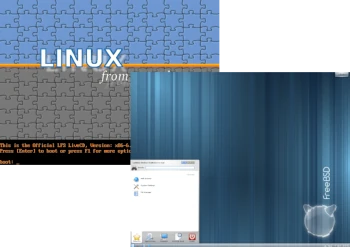
Today, with a twist, I’d like to compare Linux and the BSD operating system, choosing one of the most popular in this family – FreeBSD. Both Linux and FreeBSD offer dynamic options for every open source user. FreeBSD is more versatile and more standardized than Linux, which simply provides a kernel and drivers and requires the use of applications from other sources.
Linux: Linux is an open-source operating system kernel developed by Linus Torvalds. Linux is essentially written in C and assembly language. The kernel used in Linux is a monolithic kernel. Linux distributions target cloud computing, embedded systems, mobile devices, personal computers, servers, mainframes, and supercomputers. The first version of Linux was released in 1991. A Linux distribution is a combination of the Linux kernel and additional packages, comprising a desktop, various tools, and everyday applications.
FreeBSD: FreeBSD is a free, open-source operating system provided by the FreeBSD project. It was designed based on two Unix-like operating systems: Berkeley Software Distribution (BSD) and Research Unix. Formerly one of the most popular operating systems, it is now less widely used compared to other operating systems. The first version of FreeBSD was released in 1993.
1. License
Both FreeBSD and Linux are free and open source. Anyone is free to use, modify, study, and redistribute the FreeBSD and Linux source code.
Linux: All Linux improvements must be made public. If the source code used and modified was available under the GNU General Public License (GPL), then the modified version must be made available under the same license.
FreeBSD: FreeBSD, on the other hand, offers a competitive advantage over other operating systems for companies wishing to incorporate it into their products. BSD uses the BSD license. If you modify the BSD kernel or its distribution and redistribute it, you don’t have to release the source code. You can do whatever you want with the BSD code and include it in closed-source applications.
2. Origins
Linux and BSD are similar to the original Unix system, created by Denis Ritchie and Ken Thompson at AT&T Bell Laboratories. However, they couldn’t release it to the public due to copyright restrictions. Therefore, they decided to hand the system over to their counterparts at Berkeley.
Linux: During this period, Linus Torvalds, a graduate of the University of Helsinki, tried to buy a Unix system for his operating systems course. Lacking sufficient funding, he decided to create a clone himself. Using the concepts of MINIX, an educational Unix system, he created the entire kernel himself.
BSD: The BSD Foundation was founded to transform the original Unix system by modifying the source code so that it no longer contained any proprietary source code. Thus, the BSD family of Unix systems was born. They share the same structure and functionality as Unix, but with modified code bases.
3. Operating System
Linux: Linux is a kernel, not a complete operating system. This is a common misconception, and people commonly refer to Linux as a complete operating system. Linux offers nothing more than the kernel and associated drivers. It is often included as part of a Linux distribution, along with system software and libraries. Because most of these come from the GNU project, the Free Software Foundation calls itself “GNU/Linux.”
FreeBSD: FreeBSD is an operating system that includes all the necessary components, including the kernel, drivers, documentation, and utilities. In FreeBSD, it’s immediately obvious that you’re dealing with a “complete operating system” that has been carefully assembled. Third-party programs are completely isolated from the kernel and the core system. /etc contains system settings, while /usr/local/etc contains all application configuration from external sources. Everything that can be configured or tuned is described in detail in the manual pages. Because FreeBSD is managed as a complete operating system and project, rather than as a collection of projects cobbled together in a distribution, everything is well thought out.
4. Security
Both FreeBSD and Linux offer security event auditing capabilities. Event auditing facilitates reliable, detailed, and flexible logging of several security-relevant system events, including logins, configuration changes, and file and network access. This log data is useful for live system monitoring.
Linux: Linux has a larger user base than FreeBSD, which means that, theoretically, more security vulnerabilities have been discovered in Linux.
FreeBSD: Overall, FreeBSD has fewer security vulnerabilities than Linux, though not significantly. The FreeBSD installer includes a number of security options that can be enabled or disabled during installation.
5. Compatibility
Linux is the clear winner in terms of compatibility and portability. Linux is compatible with a much wider range of hardware than FreeBSD, which has fewer supported platforms.
Linux is the most popular open-source operating system currently available, and as a result, there are plenty of resources available to support it. While FreeBSD has a dedicated user community, it is not as large as the Linux user community. This has resulted in Linux having to compromise performance to run on a wide range of systems. FreeBSD, on the other hand, does not have to compromise performance due to limited platform support.
Hardware and software are often developed with Linux in mind. Therefore, you need to consider how you intend to deploy your system. For example, if you require frequent graphics driver updates, Linux will handle these changes much faster than FreeBSD. Most, if not all, of these discrepancies and lack of support for FreeBSD relate to desktop components such as peripherals and graphics cards. FreeBSD is a server-oriented operating system.
6. Package Management
Linux: Linux offers greater customization options and remains a fantastic alternative for those who value system flexibility. Furthermore, Linux is more likely to support hardware limitations than FreeBSD.
FreeBSD: Installing software packages is a straightforward process when using FreeBSD. The FreeBSD ports system is the ancestor of both NetBSD’s pkgsrc (package source) and the OpenBSD ports collection. FreeBSD is an excellent alternative for those looking to reduce the amount of configuration required.
FreeBSD, like Debian Linux and Arch Linux, includes binary packages managed by the pkg package manager. However, FreeBSD also offers the option of generating software from source using user-specific build times. In fact, the Arch Linux build system was heavily influenced by the FreeBSD ports system. On the other hand, the FreeBSD ports system allows you to choose the most appropriate build times during build, but in Arch Linux, you essentially have to manually modify and update the package maintainer’s PKGBUILD script; you are expected to accept the default settings.
7. Development
Linux: Linus Torvalds is responsible for overseeing, modifying, and maintaining the Linux kernel. The core team is responsible for resolving issues, developing new features, and implementing improvements to the main source code repository. However, when it comes to new Linux update functionality, the final decision rests with Linus Torvalds.
FreeBSD: FreeBSD kernels are created and updated according to an open-source development methodology. Each project maintains a publicly visible source tree containing all the project’s source files, including documentation and other support files. Users can purchase a copy of any version in its entirety.
8. Desktop
Linux is an excellent option for a workstation or desktop system with a graphical user interface. For desktop computers, Linux offers significantly better hardware and software support than FreeBSD.
FreeBSD: Desktop users have greater difficulty using FreeBSD due to limited application availability and hardware incompatibility. Hardware and software are often designed with Linux support as their primary focus, rather than FreeBSD support.
Summary
FreeBSD is ideal for you if you value stability, performance, and security. You’ll enjoy the speed at which Linux releases new technologies, features, and updates if maintaining a leading position is important to you.
Linux can handle changes much faster than FreeBSD if you require regular graphics driver updates. Certain desktop components, such as peripherals and graphics cards, are better supported on Linux. FreeBSD does not support certain types of hardware, such as sound cards or graphics cards.
FreeBSD is best for server systems that prioritize performance, speed, and reliability, such as web servers, file servers, and media streaming servers, as it offers excellent networking capabilities, performance, security, and compatibility.
Licensing differences do not affect most users because they do not edit the source code. If you plan to create a closed source system from an open source system, you should use FreeBSD, not Linux.
